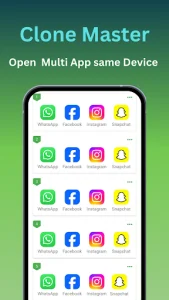
Clone Master serves as a versatile utility designed for users who need to maintain a clear distinction between their various digital personas. By allowing the creation of multiple instances of the same application, it eliminates the constant friction of logging in and out of different profiles. This tool provides a stable and isolated environment where work, personal, and gaming accounts can coexist on a single device. It essentially transforms how you interact with your favorite software by offering a streamlined multitasking experience.

Clone Master
CM Division
Download
8.25 MB
Clone Master Screenshots

1 / 9
8.25 MB
Size
2.7.7.20
Version
6.0+
Android
Universal
Arch
About Clone Master
Clone Master serves as a versatile utility designed for users who need to maintain a clear distinction between their various digital personas. By allowing the creation of multiple instances of the same application, it eliminates the constant friction of logging in and out of different profiles. This tool provides a stable and isolated environment where work, personal, and gaming accounts can coexist on a single device. It essentially transforms how you interact with your favorite software by offering a streamlined multitasking experience.
Effortless Multi-Account Management
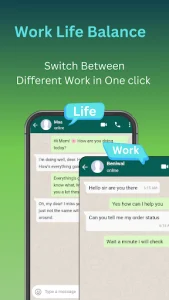
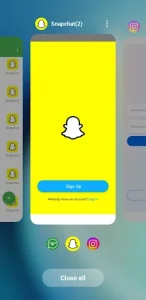
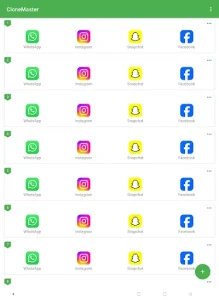
Managing several identities across social platforms or gaming environments often feels like a digital chore. This tool simplifies the process by allowing you to duplicate your favorite programs with a single tap, keeping each session active in the background. You can switch between your private chats and professional networking profiles instantly without any interference between the two data streams. It essentially doubles your productivity by keeping all your essential communication channels open at once.
Optimized Performance and Stability
Performance is a critical factor when running multiple processes, and this solution is engineered to be exceptionally light on system resources. Unlike traditional methods that might drain battery life or cause lag, Clone Master utilizes a sophisticated virtualization engine to maintain high speeds. It ensures that even resource-heavy games run smoothly in their cloned versions, providing a lag-free experience that mirrors the original application’s responsiveness. Users can enjoy a stable environment where crashes are minimized and efficiency is prioritized.
Enhanced Privacy and Security
Digital privacy is a growing concern, and this platform addresses it by offering an extra layer of protection for your cloned data. It provides a secure vault where you can hide your duplicated apps from prying eyes using specialized locks or invisible gestures. This means your sensitive work conversations or private gaming progress remain strictly confidential and separated from the main phone interface. The architecture ensures that no data leaks occur between the original software and its duplicated counterpart.
Personalized Interface Customization
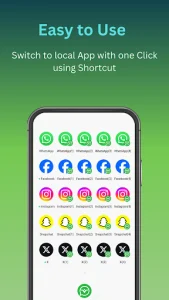
A great user experience depends on how easily one can distinguish between different active accounts. Clone Master offers intuitive customization options, such as renaming cloned icons or adding unique badges to help you identify which profile is currently active. This visual organization prevents accidental posts to the wrong account and makes navigation across the dashboard feel natural and fluid. Tailoring the look of your duplicated shortcuts ensures that your home screen remains clean while still being highly functional.
Seamless Notification Syncing
Staying updated with real-time alerts from multiple accounts can often become overwhelming or messy. This system handles notifications intelligently, delivering pings from all active instances without them getting mixed up or lost. You will receive timely updates for both your primary and secondary profiles, ensuring you never miss an important message or a limited-time event in a game. The integration is so tight that it feels like the Android OS natively supports multiple simultaneous logins.
Frequently Asked Questions
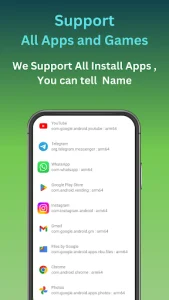
Yes, this utility is fully compatible with both 32-bit and 64-bit architectures, ensuring that modern high-performance applications run without any compatibility issues.
The basic features of Clone Master are available at no cost, allowing users to clone the most popular social and gaming apps immediately after installation.
No, the technology creates an independent sandbox for every cloned instance, meaning your login credentials and settings are never shared between the original and the duplicate.
Additional APP Information
Package Name
com.cmaster.cloner
Developer
CM Division
Category
Updated
Mar 23, 2026
Content Rating
Everyone
Signature
f4643042c9bbdce494bbdf6e9e80ac3ba2990272
Get it On

You are now ready to download Clone Master for free. Here are some notes:
- Please read our APK Info and installation instructions carefully for the game & app to work properly
- Read the FAQ carefully for more details
4.5/5 (119 votes)